
2.3.1. Proxy function settings
Mx.Load can collect the request information necessary for load testing as log data by accessing the host under test via a proxy server.
Proxy server settings are made using the proxy settings function in the project details.
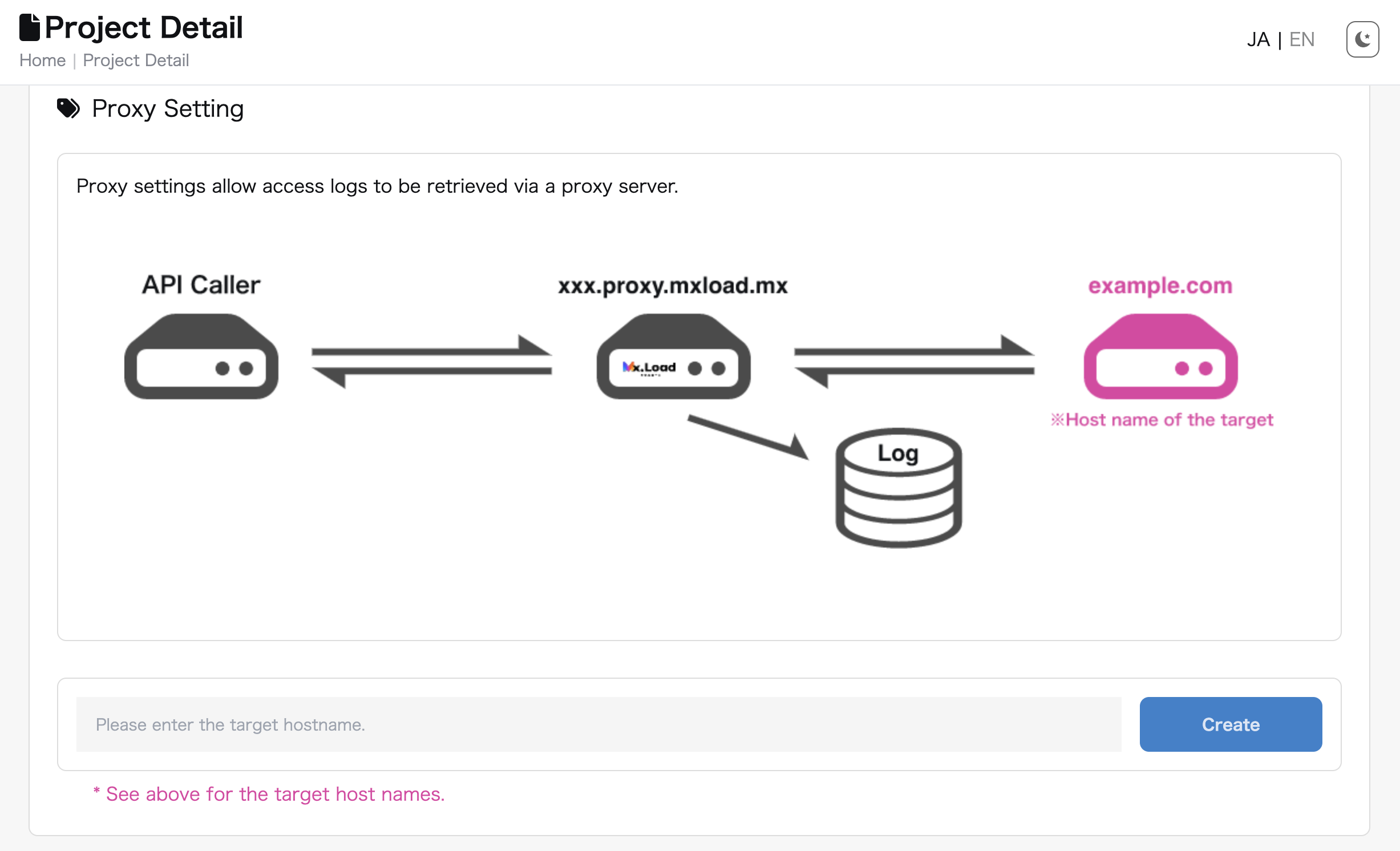
A proxy server is created by entering the hostname of the test target and clicking “New Registration”.
The target hostname must be a valid URL starting with http:// or https://.
The Disable and Delete buttons can be used to disable or delete the proxy server, respectively.
After registration, access to the target host for testing is possible via the URL displayed in Proxy URL, and the contents of the request are stored in Mx.Load as a log.

| Target URL | Proxy URL |
|---|---|
https://demo-site.mxload.mx |
https://e285a4ef27b9587da1e08f971b6be6e7.proxy.mxload.mx |
By accessing https://e285a4ef27b9587da1e08f971b6be6e7.proxy.mxload.mx/users, an access log for https://demo-site.mxload.mx/users is collected and stored in Mx.Load.