
2.3.2.3 PHP
Add mxload_php to the Laravel application from which you want to retrieve logs.
$ composer require mxload/mxload_php
For the embedding procedure of Logger, please refer to the following GitHub repository.
https://github.com/mxload/mxload_php/blob/main/README.md
Once the Logger is embedded, sending a request to the application will send request logs to Mx.Load. Scenarios are created based on these logs.
- Add the following to
app/Http/Kernel.php:
    protected $middleware = [
        ...
+       \Mxload\Laravel\Middleware::class
    ];
- Run composer install.
$ composer install
- Create a
config/mxload.rbfile and add the following content. The use of environment variables is optional.
<?php
return [
    'enabled' => env('MXLOAD_ENABLED', true),
    'collector_url' => env('MXLOAD_COLLECTOR_URL', 'https://lambda-public.mxload.mx/put-request-log'),
    'project_id' => env('MXLOAD_PROJECT_ID', 'YOUR_PROJECT_ID'),
    'service_key' => env('MXLOAD_SERVICE_KEY', 'YOUR_SERVICE_KEY'),
    'custom_headers' => env('MXLOAD_CUSTOM_HEADERS', []),
    'ignore_paths' => env('MXLOAD_IGNORE_PATHS', []),
];
The main configuration parameters are as follows:
enabled- Toggles logging on or off.
collector_url- URL of mxload to receive logs. Specify
https://lambda-public.mxload.mx/put-request-log.
- URL of mxload to receive logs. Specify
project_id- Set the id of the created project.
project_idcan be confirmed from the home or project details.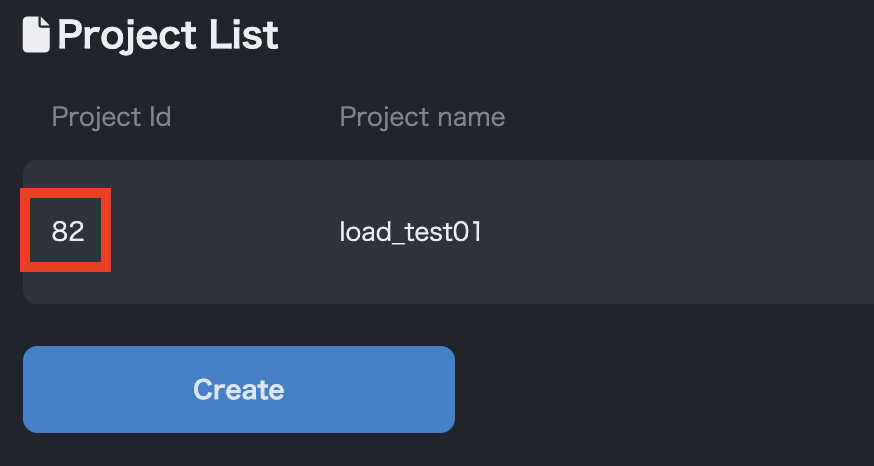
project_id
- Set the id of the created project.
service_key- Set the service key created in # Creating a Service Key.
custom_header(optional)- Required for recording header contents.
- For example, if you want to include
"Content-Type": "application/json", set the value ofconfig.custom_headerto%w[Content-Type].
ignore_paths(optional)- If the request path is within
ignore_paths, the sending of request logs is ignored. - Set this when you want to disable paths such as
/healthfor health checks.
- If the request path is within
The log parameters sent to Mx.Load are as follows:
- Method
- Request path
- Request body
- Query parameters
- Request header
- Cookies