3.3.2 Scenario Editing Screen
The scenario editing screen is divided into four sections, each displaying the following content.
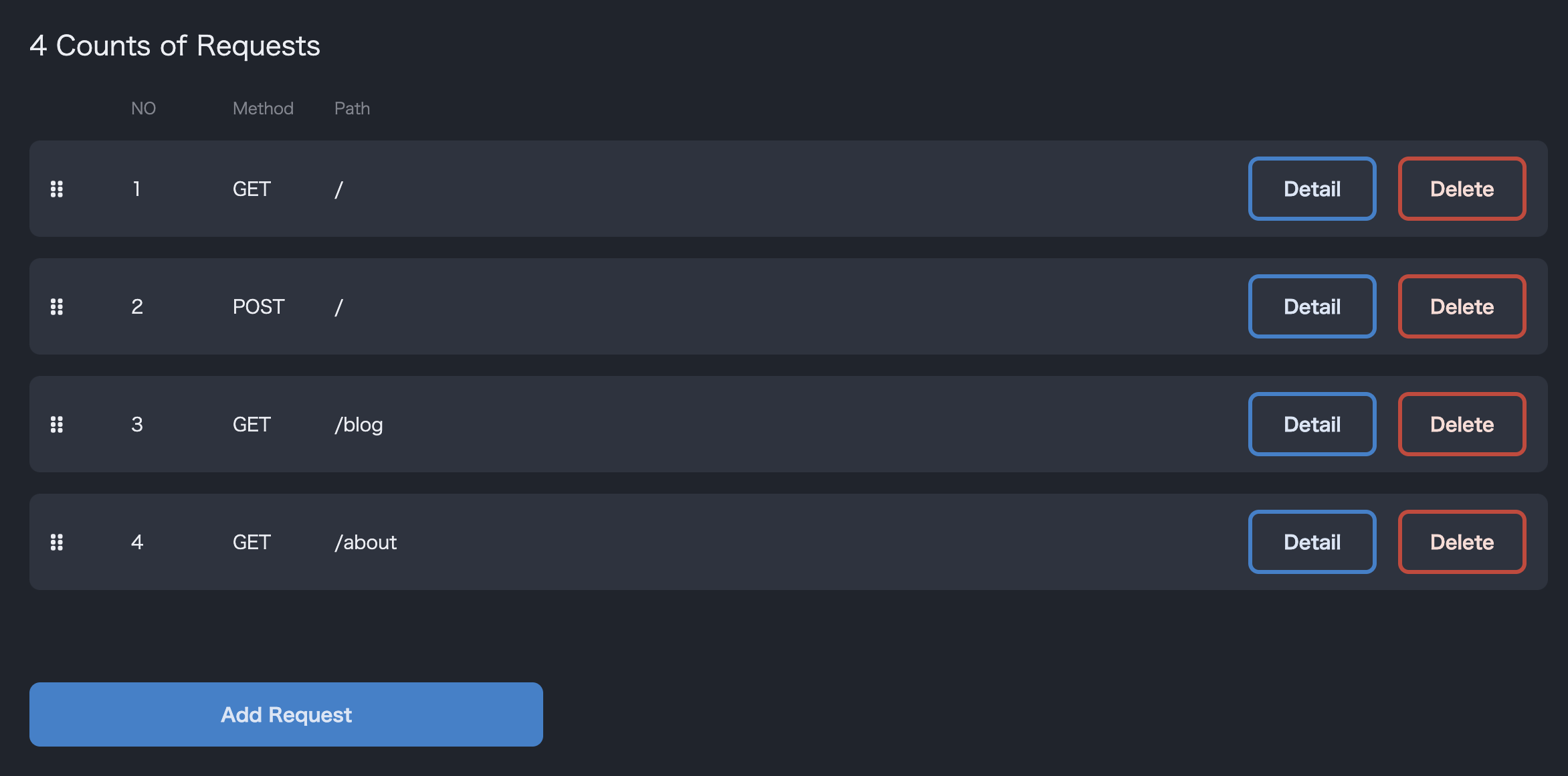
- Displays a list of requests.
- During the test run, requests occur in ascending order of NO.
- You can reorder the scenario by dragging and dropping the icons on the left.
- You can delete unnecessary requests by pressing the delete button.
- You can add a new request by clicking the add request button.
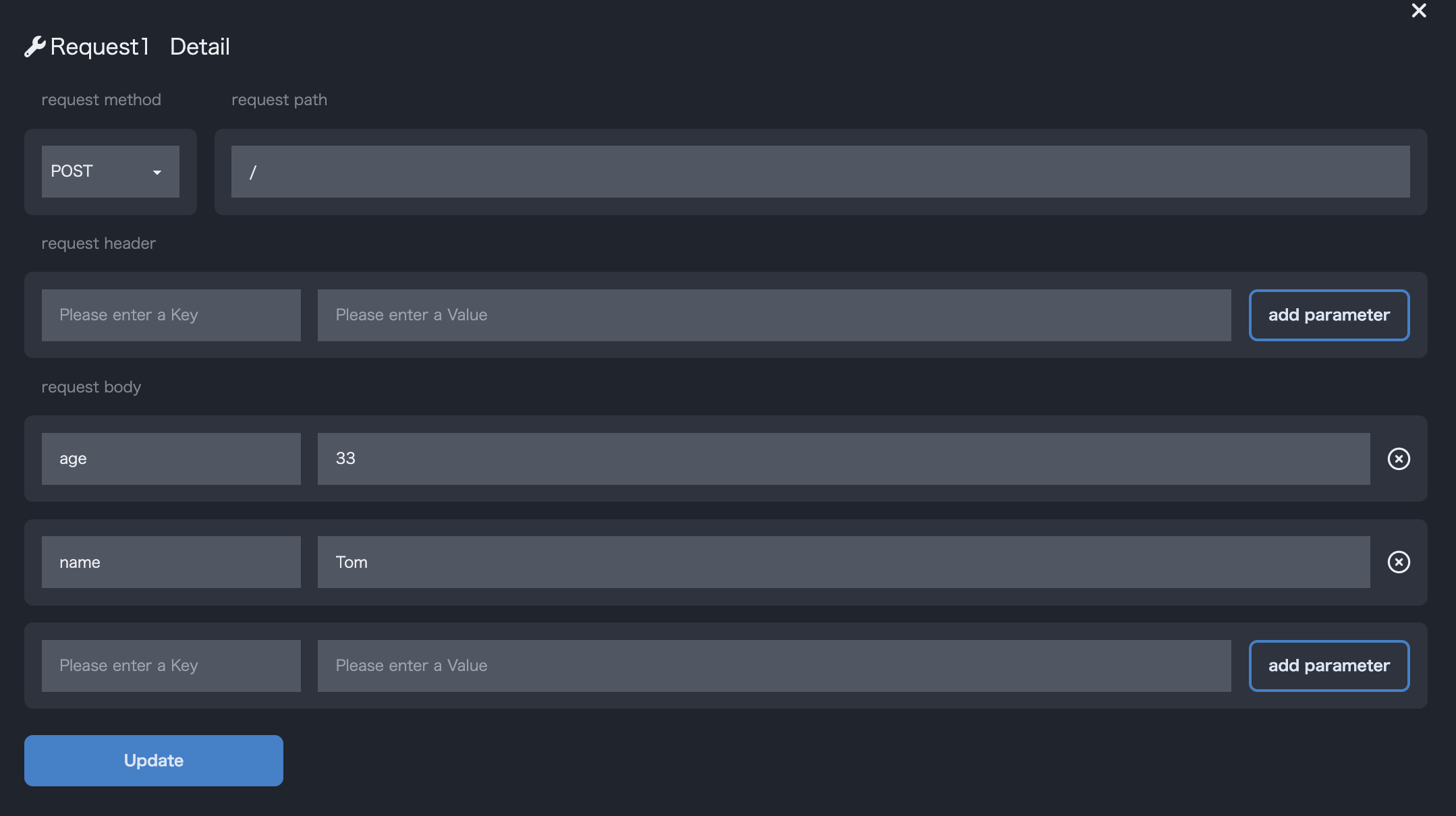
- Displays detailed information of the selected request from the list. You can check the contents of the request header and body.
- Edit existing request details or add new request details here.
- Displays the response body if it exists for the selected request from the list.
- If you need to customize the request, especially for reusing response data, you can check the content here.

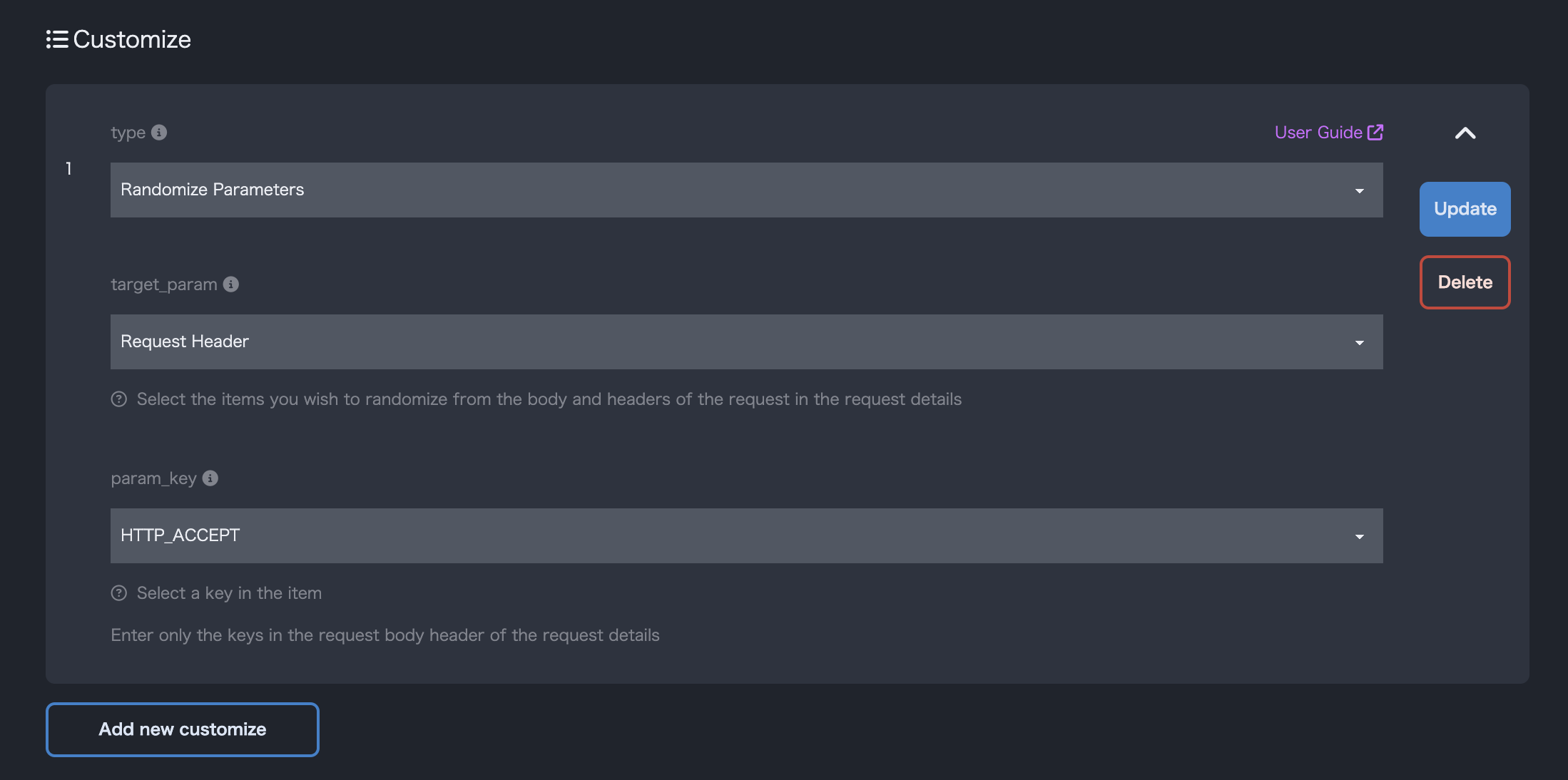
- Customize the selected request from the list.