3.3.5 Configuration Examples
In this section, we provide sample procedures for customizing scenarios.
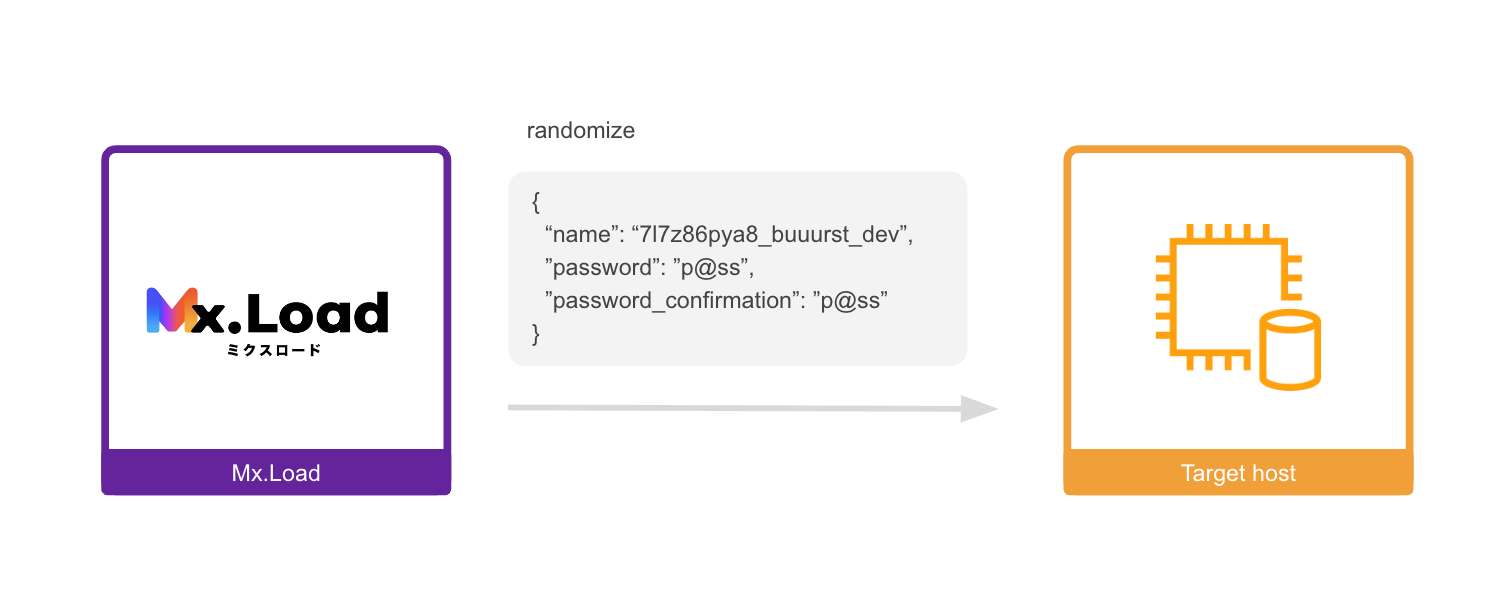
For example, when making an API call to /signup, you want to randomize the name parameter in the following POST data:
{
  "name": "mxload"
  "password": "p@ss"
  "password_confirmation": "p@ss"
}
Set the scenario customization as follows:
| Setting Category | Setting Value | Note |
|---|---|---|
Customization Name |
Randomize Parameters | Control setting |
Parameter Location |
body_params | Position of the parameter to be targeted |
Parameter Name |
name | Key to be randomized. Change according to the target system. |
With the above setting, the body parameter will be replaced with the following value:
This setting passes the specified scenario’s response value to the parameters of subsequent scenarios.
You want to use the authentication token obtained during login in subsequent request parameters.
Assume that the previous API call returned the following in the response body:
{
  "auth_token": "abcdefg"
}
Set the scenario customization as follows:
| Setting Category | Setting Value | Note |
|---|---|---|
Customization Name |
Reuse Response Data (Body/Headers) | Control setting |
Source of Reused Data |
[‘auth_token’] | Specify the key in the response JSON. |
Name of Reused Data |
auth_token_reg | Name of the data to be reused can be set arbitrarily. In subsequent scenarios, you can use the value with the same name. |
Location for Reused Data |
header_params | Include in the request header |
Request Parameter Name for Reused Data |
Authorization | Key to be set during request |
The header of the subsequent scenario will have Authorization: abcdefg inserted.
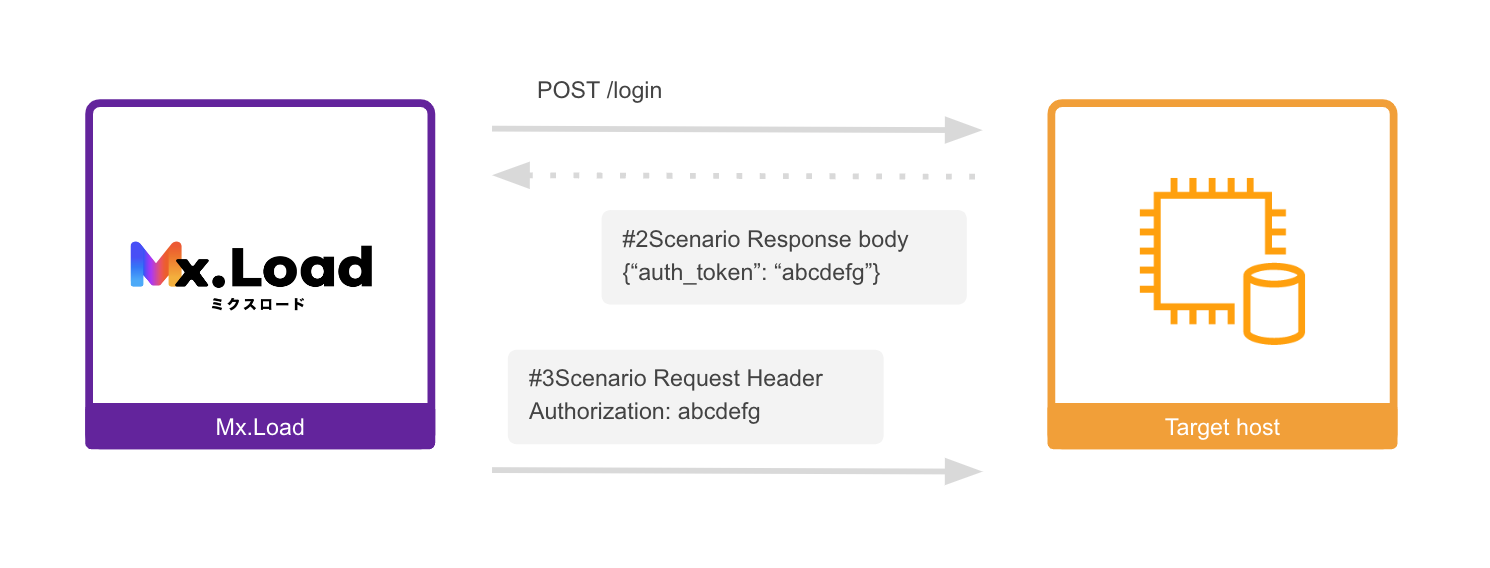
Example of Reusing Response Data (Body/Headers)
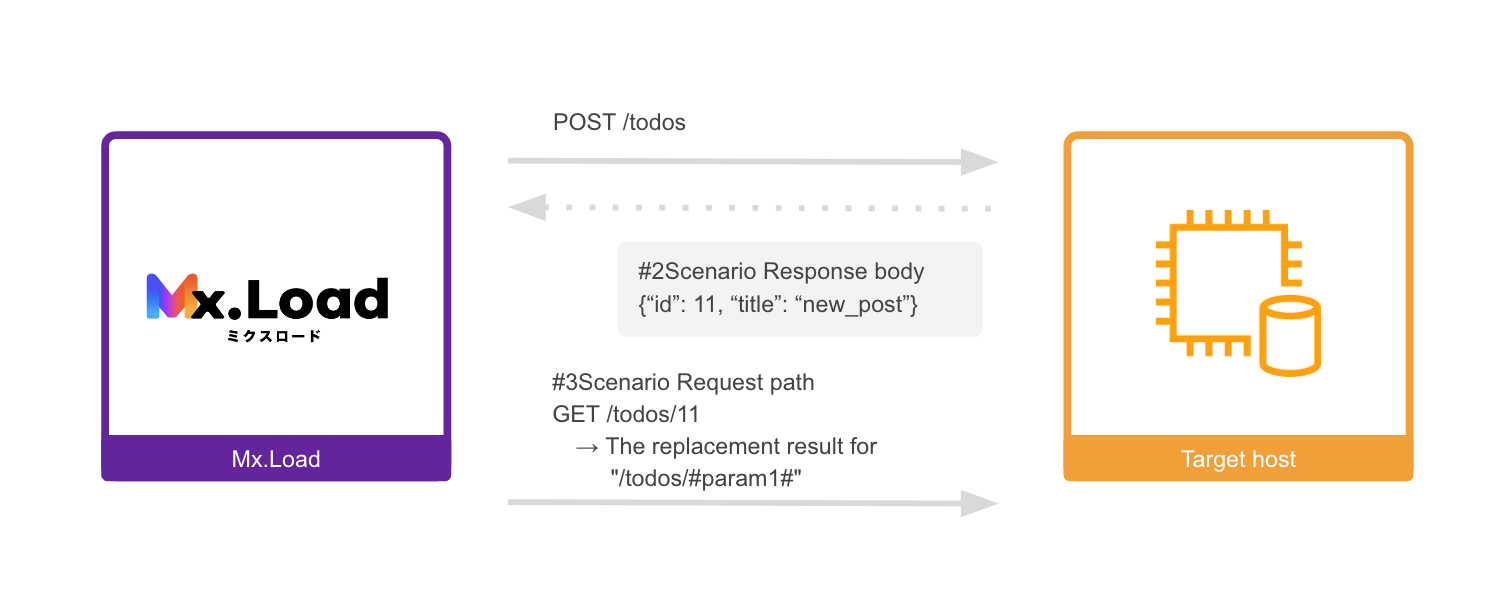
This setting replaces the specified scenario’s response value with keywords in subsequent scenario URLs.
You want to embed the id returned when creating a resource in the subsequent API call URL.
Assume that the previous API call returned the following in the response body:
{
  "id": 11,
  "title": "new_post"
}
And the subsequent API call URL you want to specify is as follows:
/todos/11
| Setting Category | Setting Value | Note |
|---|---|---|
Customization Name |
Reuse Response Data (URL) | - |
Data Source |
['id'] |
Specify the key in the response JSON. |
Reused Data Retrival Name |
param1 |
Include in the request header |
Replacement Target URL Key Name |
#param1# |
Key to be set during request |
The subsequent URL will be replaced as follows:
| URL Setting | Replaced URL |
|---|---|
/todos/#param1# |
/todos/11 |
/todos/#param1#/items |
/todos/11/items |