
3.1. Path Patterns
Logs sent to Mx.Load record the contents of the request path as path patterns.
These path patterns are used to replace values used in the system when creating scenarios.
If there is a numeric resource id in the path, it will be automatically replaced with a regular expression.
Example:
Sending a request /todos/123/items will save the path pattern ^/todos/([0-9]+)/items/?$.
Sending a request /login/ will save the path pattern ^/login/?$.
The saved path patterns can be viewed from the project details page.
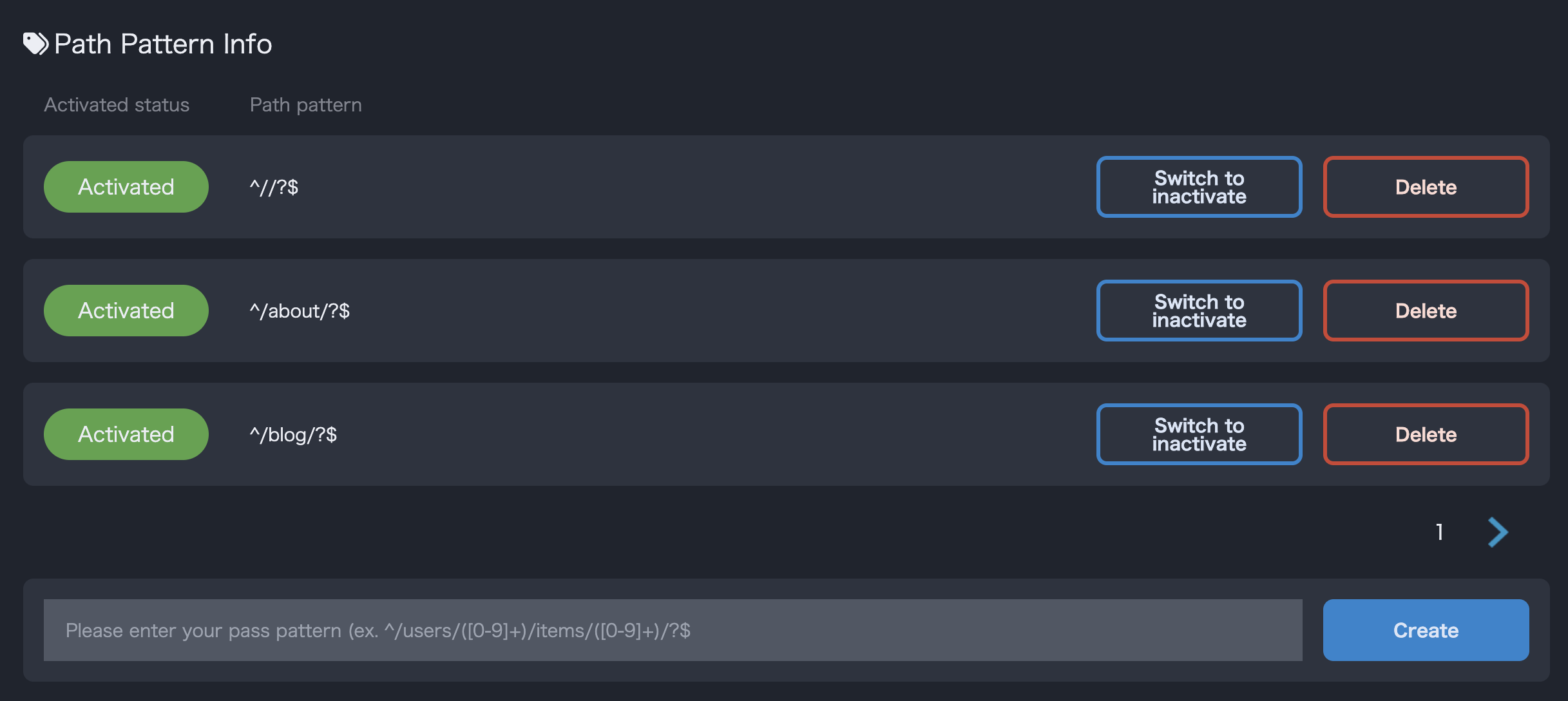
Path Pattern Information
The numbers or characters captured by (...) will be replaced with the strings #param1#, #param2#, etc. when converting from logs to scenarios.
Example:
If the path pattern is ^/todos/([0-9]+)/items/([0-9]+)/?$, it will be saved as /todos/#param1#/items/#param2# when converting to a request path during scenario conversion.
You can also manually create path patterns. When manually creating path patterns, refer to the Python regular expression documentation.
Unnecessary path patterns can be deleted. Deleting a path pattern does not exclude it from scenario generation. As long as logs are sent, path patterns will be generated, so it is recommended to stop sending logs when deleting them.
Disabling a path pattern prevents replacement from being performed when converting from logs to scenarios.
Example:
If there is a log for the path /todos/123/items and the scenario pattern ^/todos/([0-9]+)/items/([0-9]+)/?$ is disabled, it will be saved as /todos/123/items when converting to a request path during scenario conversion.